Generate code with a local model
Describe a program in plain language, and a model on your own computer writes it, runs it and
checks it. There is no cloud service and no API key.
A coding agent, pi or
Open Interpreter, talks to a model that
Ollama serves on your machine. The satyrn command downloads them in
pinned, checksum-verified versions into a single folder, helps you choose a model that fits
your computer, and starts and stops the model server for you.
Quick start
You need git and Python 3.14 (or uv, which fetches Python for you).
Clone the project and install the satyrn command:
git clone https://github.com/niccokunzmann/satyrn-getting-started.git
cd satyrn-getting-started
python3.14 satyrn.py install   # the `satyrn` command and its shell completion
satyrn                         # shows what is missing and guides you through it
git clone https://github.com/niccokunzmann/satyrn-getting-started.git
cd satyrn-getting-started
py -3.14 satyrn.py install     # the `satyrn` command and its shell completion
satyrn                         # shows what is missing and guides you through it
git clone https://github.com/niccokunzmann/satyrn-getting-started.git
cd satyrn-getting-started
uv run --no-project --python 3.14 satyrn.py install   # uv fetches Python 3.14 for you
satyrn                         # shows what is missing and guides you through it
satyrn checks this computer, lists the models that fit it, and offers each missing step with a
default answer: download the tools, download a model, start the model server. Press
Enter to accept the defaults. Then start working in a folder of your choice:
satyrn code ~/ai-code
Type what you want, for example:
Create hello.py that prints Hello, World! Then run it.
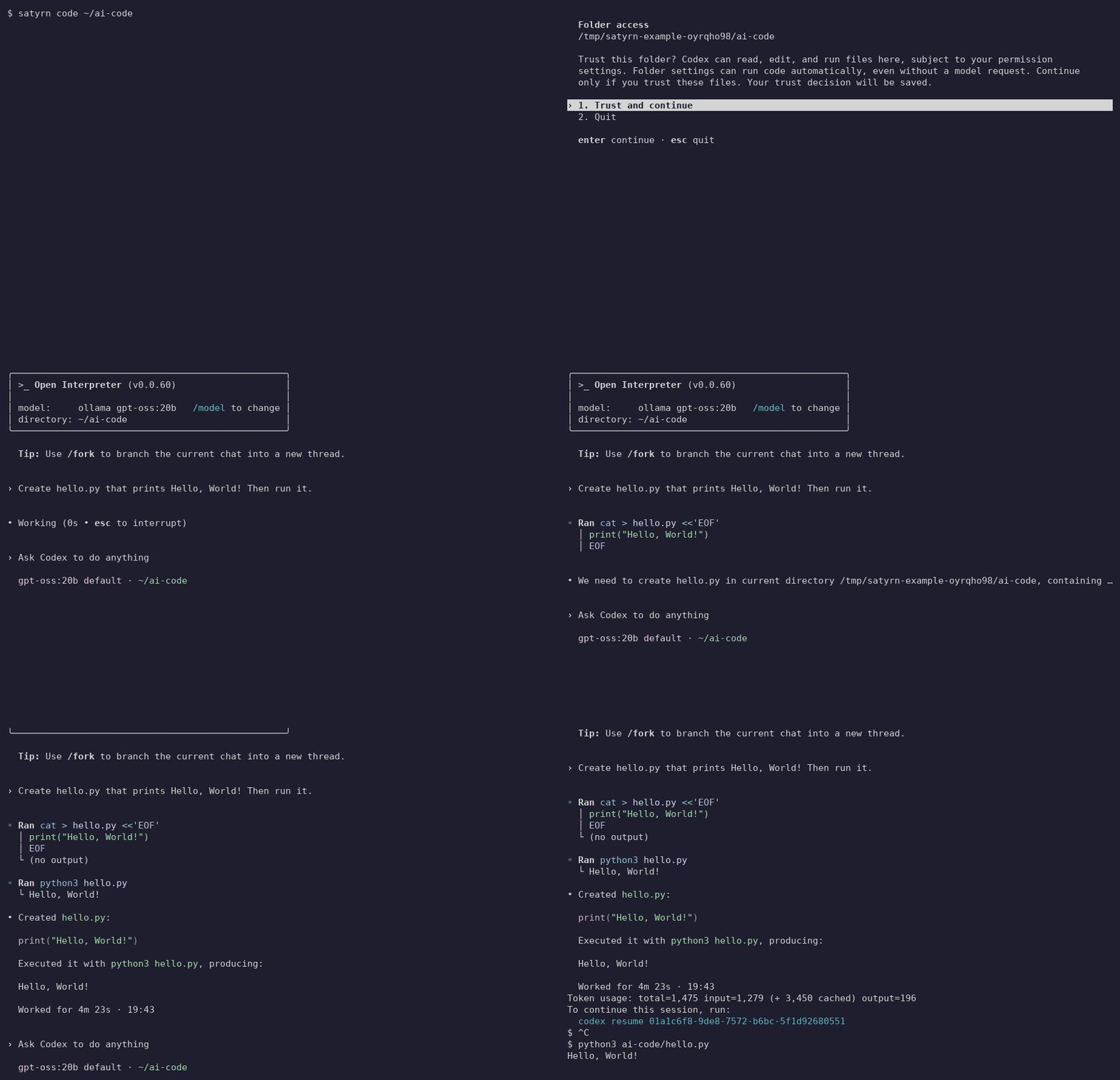
The model writes the file into ~/ai-code, runs it and tells you what it did. The animation
shows the important moments of a real session with Open Interpreter; see
the whole session as text. When you are
done, leave with Ctrl+C and stop the server with satyrn stop. Nothing starts by
itself, and everything the tools download stays in the satyrn-getting-started folder.
How fast is it?
On a laptop CPU without a GPU (Intel i7-13700H), the default model gpt-oss:20b writes and
checks a small program like the one above in about two minutes. A GPU is used automatically
if Ollama finds one. Choose a model compares four models.
Use it